Invoice to CSV Converter: How to Extract Line Items From Invoices and Receipts Without Manual Cleanup

If you have ever tried to turn a folder of invoices or receipts into a spreadsheet, you already know the problem.
The issue is not opening the PDF. The issue is getting usable rows out of it.
A good invoice to CSV converter should give you more than text extraction. It should help you pull line items, totals, dates, vendors, and references into a format your team can actually review.
That is especially important when finance teams are dealing with vendor invoices, expense receipts, and mixed document batches from multiple sources.
Why invoice and receipt conversion is harder than it looks
Most invoices are not designed for data export. They are designed for human reading.
That creates predictable problems when you try to extract them into CSV:
- line items break across rows
- tax and subtotal fields get mixed together
- vendor names appear in multiple places
- dates may be formatted inconsistently
- receipt photos introduce OCR noise
If the result is just a rough table dump, someone still has to clean the data by hand.
Choose your workflow
Invoice PDF to CSV
Convert invoice PDFs into a reviewable CSV workflow.
Receipt to CSV
Turn receipt PDFs and images into a reviewable CSV export.
Bank statement to CSV converter
Start from the general statement-conversion workflow.
PDF to CSV converter
Use the broad PDF-to-CSV workflow for statement and document cleanup.
Bank statement conversion hub
The full cluster for PDF, CSV, OCR, and review-first statement workflows.
Coverage and resources
Open the authority pages that support this workflow.
Supported banks
See which institutions have dedicated coverage pages and where statement fallback still makes sense.
Open page →
Supported statement types
See which source documents Wesley can clean up before export or import prep.
Open page →
Bank Statement Cleanup SOP for Bookkeepers
A bank statement cleanup SOP for bookkeepers who need a repeatable review process before exporting to QuickBooks, Xero, QIF, or spreadsheet workflows.
Open page →
What finance teams usually need from an invoice to CSV converter
The real goal is not simply "convert a PDF."
The goal is to create a CSV that supports the next workflow step, such as:
- reviewing invoice line items
- checking coding before posting
- comparing vendor documents across periods
- preparing support schedules for month-end or audit requests
- combining invoice and receipt data in one review file
That means the output needs structure, not just text.
What should be extracted into the CSV
A useful invoice or receipt CSV often needs some combination of:
- invoice date
- vendor or merchant name
- description or line-item detail
- amount
- tax
- reference number
- category or memo when available
The exact columns depend on where the file goes next, but the principle is the same: the CSV should reduce review work, not create more of it.
Why generic OCR tools fall short
Generic OCR tools can be useful for one-off text capture, but finance workflows usually need more consistency than that.
Common failure modes:
- one invoice template works, the next one fails
- receipt totals are captured but line-item detail is lost
- amounts are extracted without context
- multi-page invoices are split into partial records
- the final CSV still needs heavy spreadsheet cleanup
That is why invoice conversion often becomes a hidden manual process even after teams "automate" extraction.
Where Wesley fits
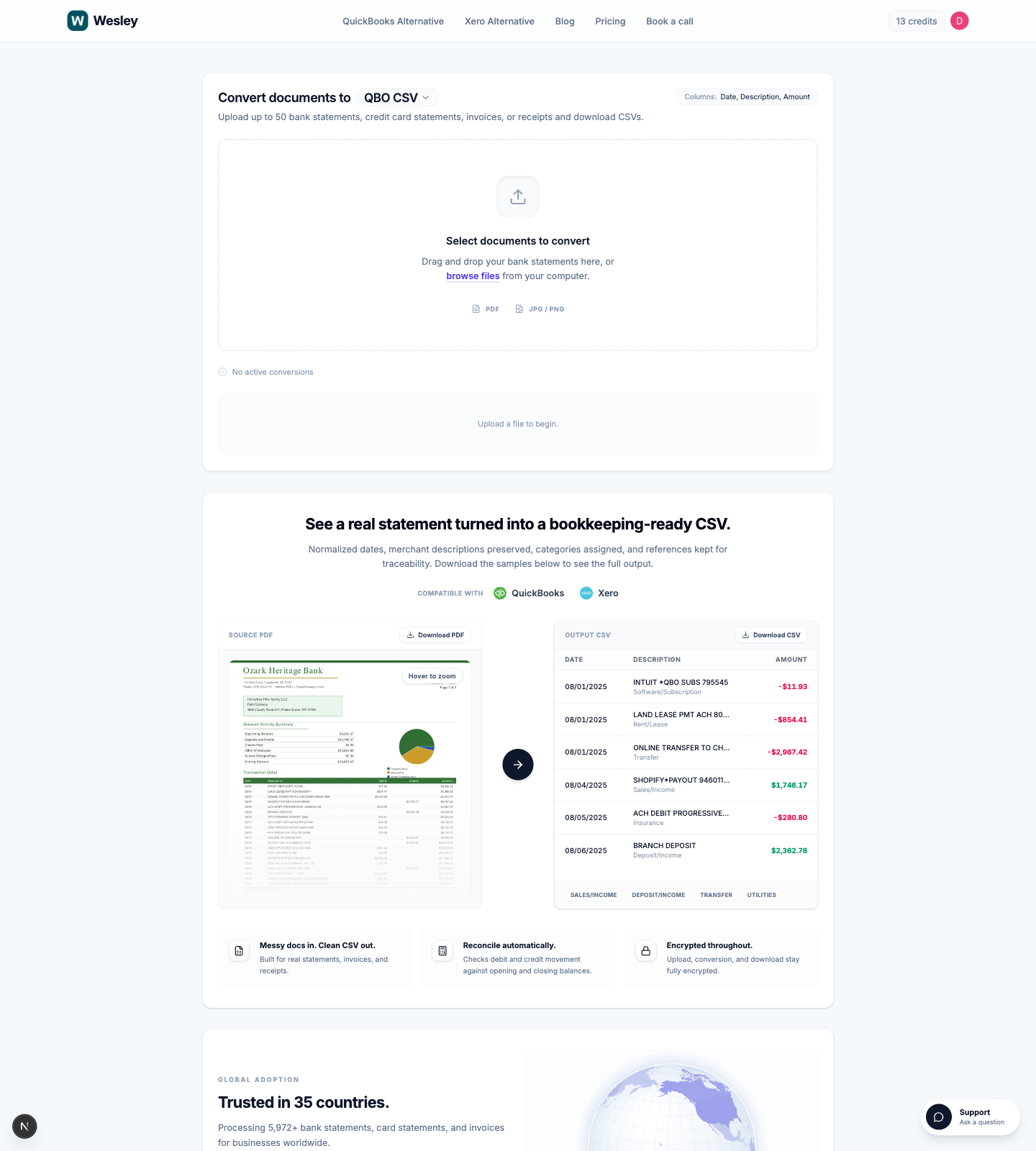 Wesley's document to CSV converter handles invoices and receipts as part of the same workflow used for statements and other bookkeeping documents.
You can upload up to 50 files at once, then export to the format you need next:
- QBO CSV
- QBD CSV
- Xero CSV
- Generic CSV
For scanned files and mixed batches, see our scanned document to CSV guide.
If the issue is a broken feed or missing history rather than vendor docs, start with why bank feeds still need CSV imports.
Practical use cases
Invoice review before posting
Instead of checking one PDF at a time, you convert invoices to CSV so the team can scan line items, totals, and references in one table.
Receipt cleanup for expense review
Receipts are often the messiest files in the stack. A receipt to CSV workflow is useful when you need dates, merchants, and amounts in one reviewable sheet.
Audit and support schedules
When someone asks for support behind a balance, a CSV built from invoices or receipts is much easier to sort, filter, and compare than a folder full of attachments.
What to look for before choosing a tool
If your team needs invoice or receipt extraction, look for:
- support for scanned documents and photos
- stable row extraction, not just plain OCR text
- batch upload support
- clean amounts and dates
- output that can go into QuickBooks, Xero, or a generic review file
A converter that only gets you halfway still leaves the expensive part of the work undone.
FAQ
Can I convert invoices to CSV?
Yes. The useful version of that workflow is extracting invoice fields and line items into rows that can be filtered, reviewed, and reconciled.
Can I convert receipts to CSV too?
Yes. Receipt to CSV is especially helpful for expense review, cleanup, and support schedules when the source files come from scans, email attachments, or phone photos.
Is invoice OCR enough by itself?
Usually not. OCR can capture text, but bookkeeping teams still need structure, amounts, dates, and usable descriptions.
What if I have a mixed batch of invoices, receipts, and statements?
That is exactly where a document-focused converter helps. Wesley supports mixed financial document uploads in one workflow.
Final takeaway
If your current process for invoices and receipts still ends in spreadsheet cleanup, then the extraction step is not solving the real problem.
A strong invoice to CSV converter should produce rows your team can actually use for review, posting prep, and audit support.
If that is the gap in your workflow, try Wesley's document to CSV converter to move from invoices and receipts to a usable CSV faster.
Ready to use the matching workflow?
Invoice PDF to CSV
Convert invoice PDFs into a reviewable CSV workflow.
Related reads
Discover adjacent articles without being sent to near-duplicate topics.

