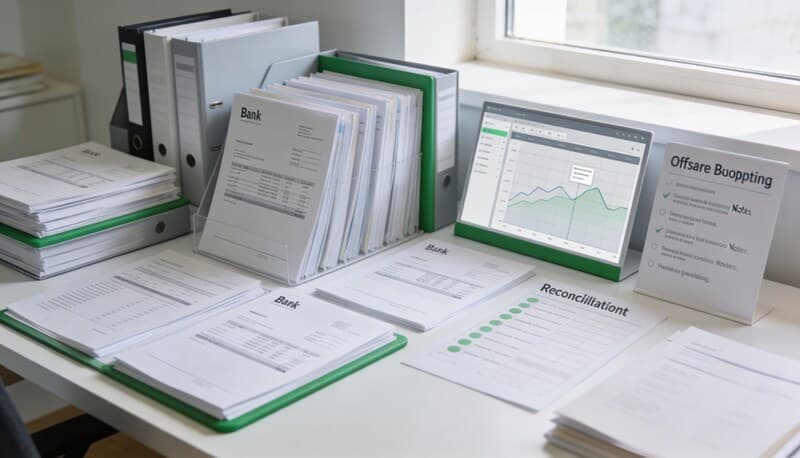
Bulk Email for Accounting Firms: How to Automate Client Follow-Ups With a Shared Inbox

Bulk email for accounting firms is really a workflow problem
When accounting firm staff search for terms like bulk email for accounting firms, shared inbox for accountants, client follow-up automation, or accounting firm email automation, they usually are not looking for a marketing platform.
They are trying to solve a daily operations problem:
- chasing missing documents without rewriting the same email twenty times
- following up on bookkeeping questions without losing replies in a partner's inbox
- sending reminders at month-end or tax season without building ad hoc lists in Excel
- keeping client responses, attachments, and next steps tied to the right client record
That is the gap Wesley for accounting firms is built to close. Instead of treating email as a separate tool, Wesley turns client communication into part of the bookkeeping workflow.
Choose your workflow
Tax workflow hub
The full cluster for W-9 collection, 1099 review, and filing-season cleanup workflows.
Collect a W-9 before filing a 1099
The cleanest timing and follow-up workflow before filing season turns reactive.
1099-K vs 1099-NEC
How to separate processor-reported payments from contractor compensation.
Why a contractor is missing from your QuickBooks 1099
A practical troubleshooting flow for inactive vendors, thresholds, and mapping issues.
Why credit card payments do not show up on 1099s
The exact reporting logic behind excluded card and payment-app transactions.
Coverage and resources
Open the authority pages that support this workflow.
Client Document Request Template for Bookkeeping Firms
A reusable client document request template for bookkeepers and accounting firms who need statements, receipts, and exception support without a vague back-and-forth.
Open page →
Uncategorized Transaction Follow-Up Template
A clean follow-up template for asking clients about uncategorized transactions, owner activity, unusual transfers, and missing memo detail without wasting reviewer time.
Open page →
Template library
Browse copyable SOPs, client messages, and bookkeeping checklists.
Open page →
Why this keyword matters during tax season and month-end close
The most valuable client emails inside an accounting firm are usually not newsletters. They are operational emails tied to real work:
- please upload the missing bank statement
- can you confirm what this transaction was for
- we still need your payroll report
- here is the list of items blocking close
- your books are ready for review in the portal
That is why keywords like bulk client email accounting firm, automate client reminders, shared inbox for accounting firms, and bookkeeping client communication workflow are strong organic targets. They map to urgent, repetitive work that firms already do every week.
If your team is handling those requests manually, Wesley gives you a more controlled way to send, track, and route them.
Send one personalized email to multiple clients at once
In Wesley, the workflow starts from the client list. Staff can select the clients who need the same follow-up, open Email clients, and send one bulk message that still uses personalized variables for each recipient.
That matters because accounting firms rarely send truly identical emails. They usually need a repeatable structure with client-specific details layered in. A good bulk email workflow for bookkeeping teams should let staff move fast without turning communication into a generic blast.
With a Wesley shared inbox workflow, the operational value is straightforward:
- one action from the clients list instead of one email thread per client
- consistent language across staff members
- faster follow-up during tax season, cleanup projects, and month-end close
- less manual copying of names, periods, and request details
Review recipients before anything goes out
A useful bulk email tool for accounting firms should not just send faster. It should reduce mistakes.
Wesley adds a review step before sending so staff can confirm which selected clients are ready, which records have deliverable email addresses, and whether the outreach list actually matches the work queue.
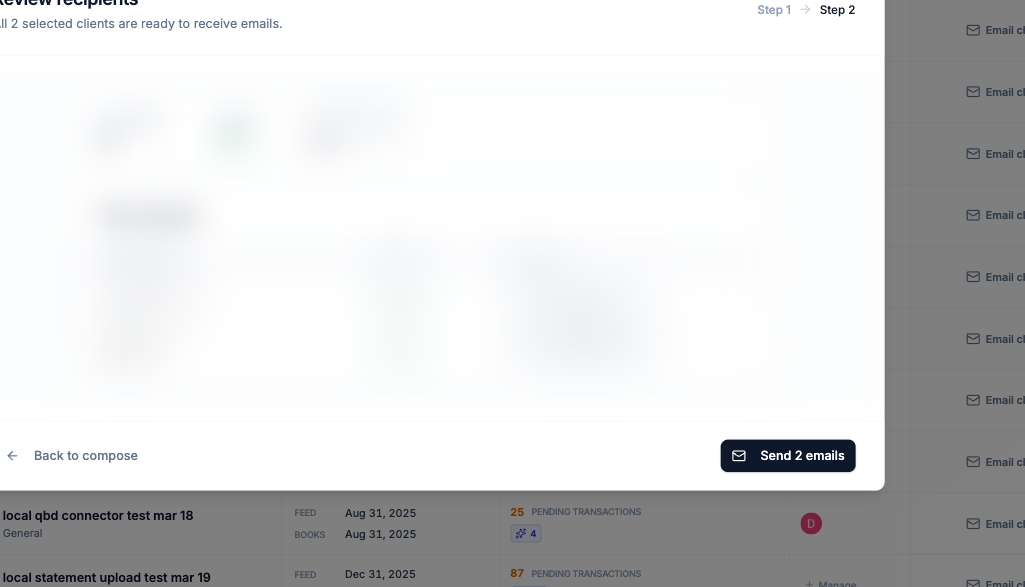
That review step is important for firms that want client communication automation without losing control. The goal is not to blast messages more aggressively. The goal is to help staff send the right request to the right client with less admin overhead.
Route replies and attachments from a firm inbox, not a partner's personal inbox
This is where shared inbox software becomes operationally valuable for accounting firms.
A firm can connect its Gmail inbox inside Wesley, sync the inbox on a schedule, inspect incoming attachments, and route messages back to the correct client. Instead of burying bookkeeping follow-ups in personal email accounts, the communication lives inside the firm's operating system.
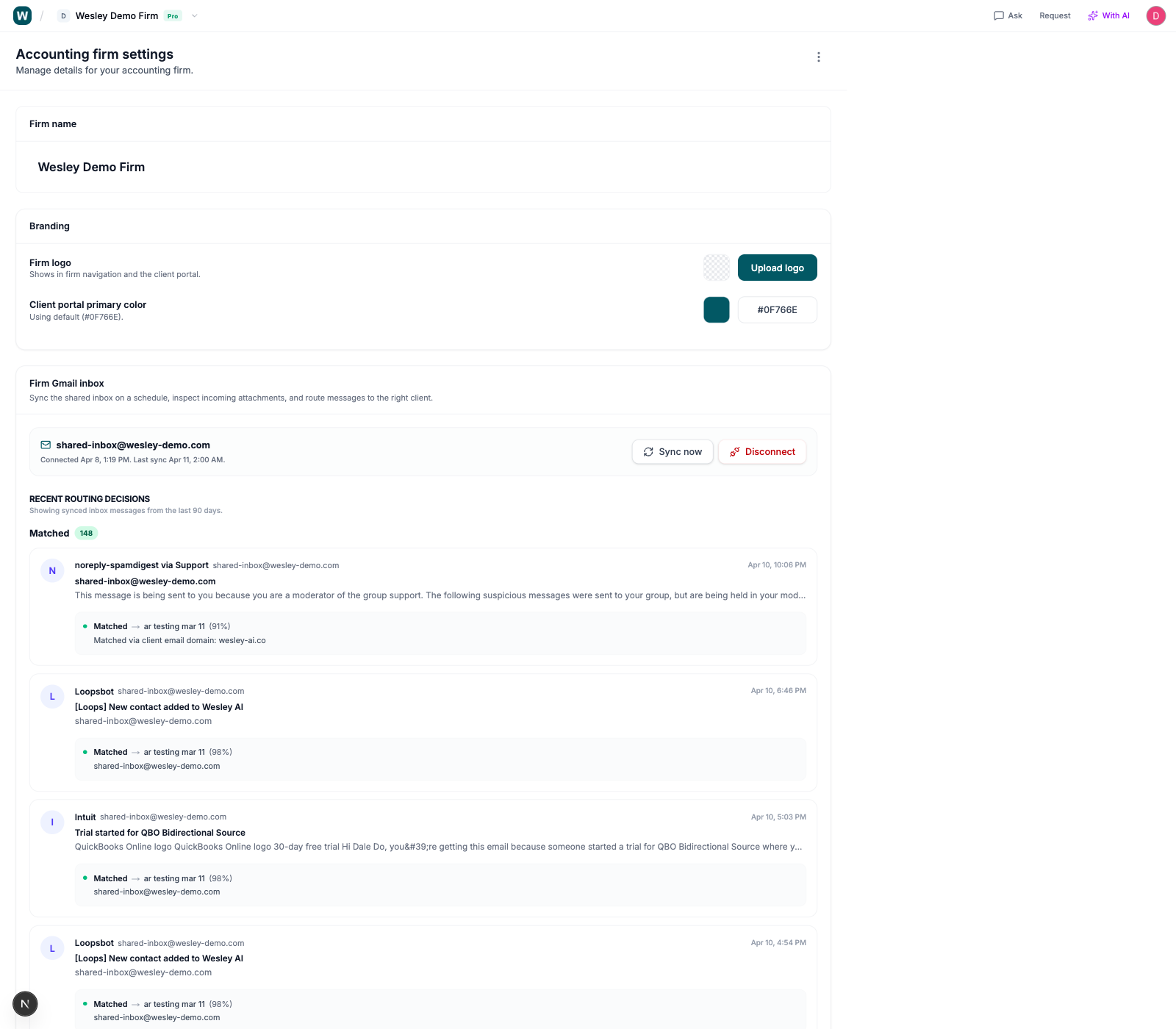
That changes the workflow in a few important ways:
- client replies do not disappear when one staff member is out of office
- documents and attachments are easier to connect to the underlying client work
- the team can see routing decisions instead of guessing where an email should go
- follow-up no longer depends on who originally sent the message
If you are evaluating shared inbox tools for accountants, this is the real standard to use: does the inbox help the work move, or does it just centralize more email?
Wesley is useful here because the inbox is connected to client operations, not floating beside them.
Standardize client outreach with reusable templates
Another place accounting firms lose time is rewriting good emails from scratch.
Teams often have the same core messages over and over:
- transaction follow-up requests
- missing document reminders
- tax season checklist chases
- please review and approve portal updates
- month-end close requests
Wesley includes reusable email templates for both client transaction follow-up and bulk client email workflows, so firms can keep tone and structure consistent without slowing staff down.
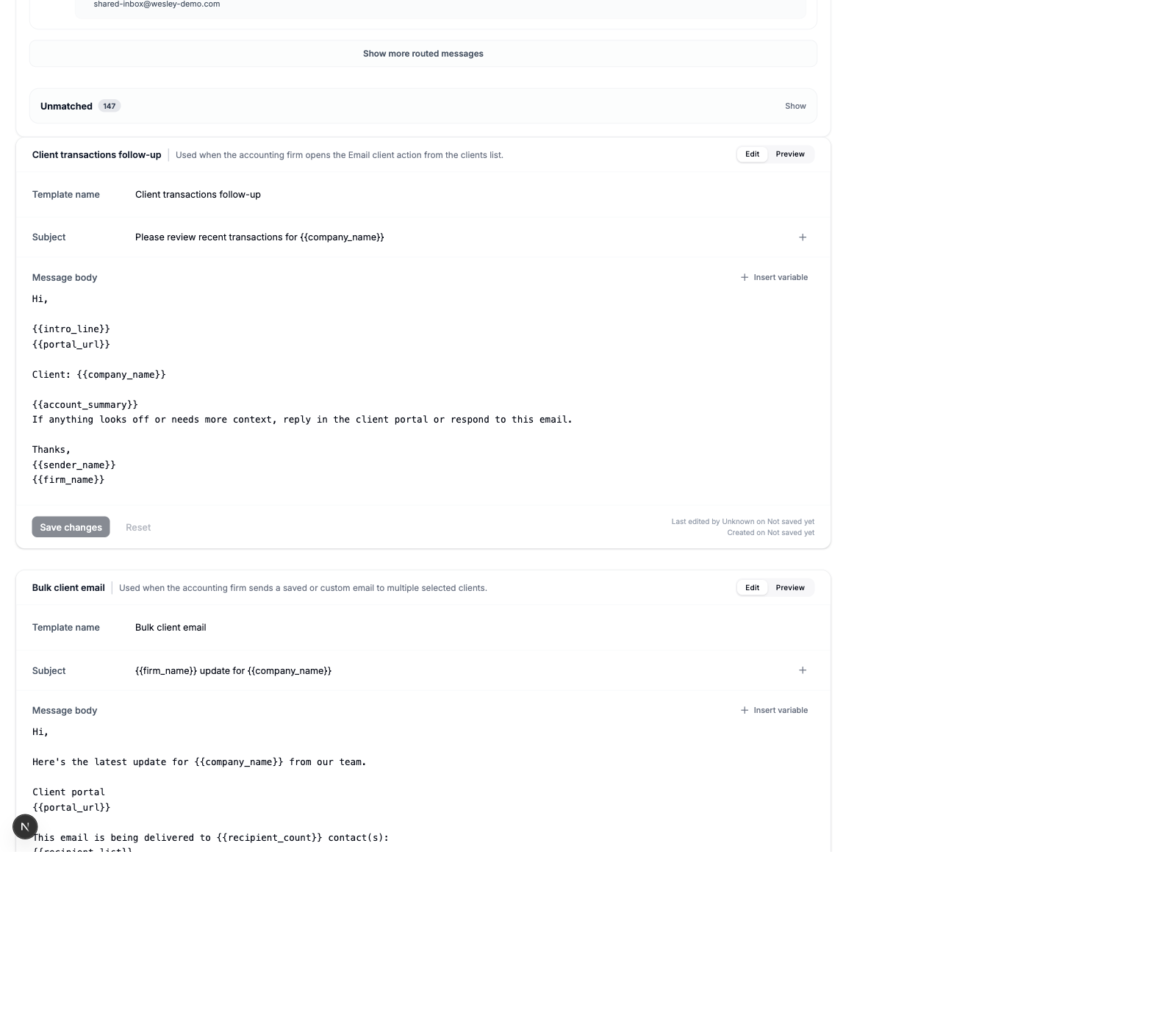
This matters for both efficiency and quality. Senior staff do not need to rewrite the same wording. Junior staff do not need to guess which phrasing is acceptable. The firm gets a repeatable client communication standard that still moves quickly.
Where bulk email and inbox automation help accounting firms most
The most obvious use cases are the ones firms already feel every month:
- tax season document chases for bank statements, payroll files, 1099 support, and year-end reports
- bookkeeping questions about uncategorized or ambiguous transactions
- monthly close requests for missing receipts, loan statements, and owner contribution details
- cleanup projects where many clients need the same document request cadence
- client portal invitations before a follow-up can be delivered through the firm's workflow
That last point matters more than many firms expect. If a client is missing portal access, the system can prompt the team to invite the client first and then continue the communication flow. That reduces another manual branch in the process.
Why this improves accounting firm capacity
For most firms, email work is not invisible because it is unimportant. It is invisible because it is scattered.
Staff time gets consumed by small actions:
- finding the right client list
- checking who still needs a reminder
- copying the same request into a fresh email
- forwarding replies to the person who owns the client
- downloading attachments from one inbox and reattaching them elsewhere
When firms look for ways to grow without hiring, they often focus on categorization, reconciliation, and close workflows. They should. But client communication deserves the same attention because it is one of the biggest sources of hidden operational drag.
A better bulk email plus shared inbox workflow can increase capacity by helping firms:
- send follow-ups faster
- reduce avoidable communication errors
- keep replies centralized
- shorten the time between request and response
- make work handoffs easier across the team
That is why Wesley for accounting firms is more than an email tool. It is a way to operationalize repetitive client communication inside the bookkeeping process.
FAQ: bulk email and shared inbox for accounting firms
What is the best bulk email workflow for accounting firms?
The best workflow starts from a real client work queue, lets staff select the right clients, uses reusable templates and variables, and adds a review step before sending. For accounting firms, bulk email should be tied to bookkeeping work, not treated like generic newsletter software.
Do accounting firms need a shared inbox?
If multiple people touch client communication, yes. A shared inbox helps firms avoid losing replies in personal accounts, centralize attachments, and route follow-ups back to the right client.
Can bulk email to clients still be personalized?
Yes. For accounting firms, the right model is structured personalization, not mass marketing. Staff should be able to send one workflow-driven email while inserting client-specific details where needed.
How do you automate bookkeeping client follow-ups?
Start with the most repetitive requests: missing documents, transaction clarification emails, and month-end reminders. Then connect the sending workflow to a shared inbox so the replies and attachments stay inside the same client workflow.
What should accounting firms automate first in email?
Most firms should start with document requests, transaction follow-ups, and recurring close reminders. Those are high-frequency, operational, and easy to standardize.
Final takeaway
If your team is searching for bulk email for accounting firms, client follow-up automation, or shared inbox software for accountants, the real objective is usually the same: reduce admin drag without losing control.
That is exactly where Wesley fits. It helps firms send personalized bulk follow-ups, review recipients before send, connect a firm inbox, route replies to the right client, and standardize the templates staff use every day.
The result is not just faster email. It is faster client work.
Build a calmer filing workflow
Keep contractor docs, payment exceptions, and follow-ups tied to the actual work
Wesley is strongest when the filing problem is really a workflow problem: missing documents, unclear payment channels, and last-minute cleanup before you can trust the numbers.
Related reads
Discover adjacent articles without being sent to near-duplicate topics.