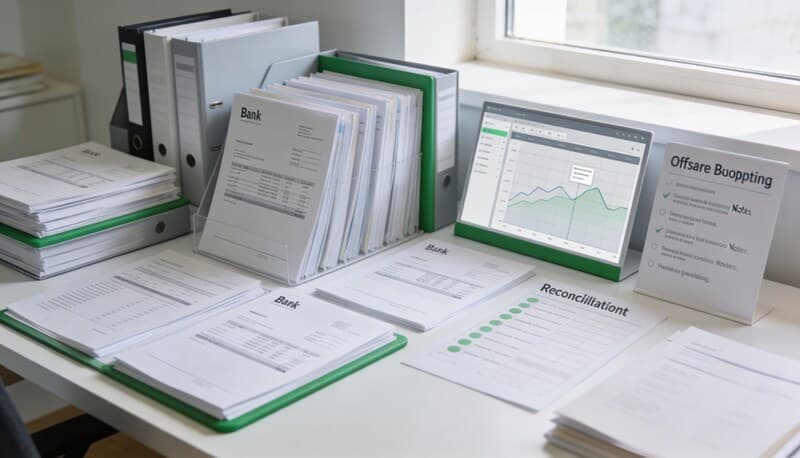
Best Bank Statement Extraction Software for Accounting Firms
If you are comparing bank statement extraction software, the useful question is not "can it read a PDF?"
Most tools can read some text from a PDF. The hard part is whether an accounting team can trust the extracted rows before they enter QuickBooks, Xero, a reconciliation file, or a cleanup workbook.
For firms, that review step is the product.
What good bank statement extraction software should do
Good extraction software should keep three things connected:
- The original statement PDF
- The extracted transaction rows
- The export format your downstream workflow needs
If those three things split apart, the cleanup burden moves back to the bookkeeper. Someone has to check dates, fix signs, remove repeated headers, and decide whether the CSV is safe to import.
That is why a statement extraction workflow should include review before export, not just OCR.
Choose your workflow
Tax workflow hub
The full cluster for W-9 collection, 1099 review, and filing-season cleanup workflows.
Collect a W-9 before filing a 1099
The cleanest timing and follow-up workflow before filing season turns reactive.
1099-K vs 1099-NEC
How to separate processor-reported payments from contractor compensation.
Why a contractor is missing from your QuickBooks 1099
A practical troubleshooting flow for inactive vendors, thresholds, and mapping issues.
Why credit card payments do not show up on 1099s
The exact reporting logic behind excluded card and payment-app transactions.
Coverage and resources
Open the authority pages that support this workflow.
Supported banks
See which institutions have dedicated coverage pages and where statement fallback still makes sense.
Open page →
Supported statement types
See which source documents Wesley can clean up before export or import prep.
Open page →
Bank Statement Cleanup SOP for Bookkeepers
A bank statement cleanup SOP for bookkeepers who need a repeatable review process before exporting to QuickBooks, Xero, QIF, or spreadsheet workflows.
Open page →
The practical evaluation checklist
Use this checklist when comparing tools:
- Can it extract dates, descriptions, deposits, withdrawals, and signed amounts?
- Can the team review the rows before download?
- Can it export more than one format from the same upload?
- Can it handle statement backlogs, not just one clean sample file?
- Does it preserve the PDF as the source document?
- Does it avoid pushing bad rows directly into the ledger?
The best workflow is boring in the right way. Upload the statement, review the rows, choose the output, then import only after the file is clean.
When CSV is enough
CSV is enough when the team wants spreadsheet review first. This is common during cleanup work, tax-season backlogs, and client-provided statement projects.
Start with a generic CSV when the next step is human review. Use bank statement to CSV when the source is a statement PDF and the destination is still undecided.
When QuickBooks or Xero output is better
If the destination is already known, a more specific export can reduce cleanup.
Use bank statement to QBO or PDF to CSV for QuickBooks when the workflow is headed into QuickBooks Online. Use bank statement to Xero CSV or PDF to CSV for Xero when the rows are headed into Xero.
The point is not to skip review. The point is to review the file in the shape it will actually need.
What to avoid
Avoid tools that only give you raw OCR text. Avoid workflows where every export requires a new upload. Avoid pushing extracted rows into accounting software before anyone checks the signs.
Those shortcuts save a minute at upload and cost an hour during reconciliation.
Recommended workflow
For accounting firms, the safest workflow is:
- Upload the statement PDF.
- Extract rows into a reviewable table.
- Check dates, descriptions, and signs.
- Export Generic CSV, QBO, QBD, QIF, or Xero-ready CSV.
- Keep the source statement tied to the file used for import.
Wesley is built around that review-first model. Start with bank statement extraction software if you need the broad workflow, or use PDF bank statement to CSV if the immediate job is turning statement PDFs into rows.
FAQ
What is bank statement extraction software?
Bank statement extraction software turns statement PDFs or images into structured transaction rows, usually including date, description, and amount fields.
Is OCR enough for bank statement extraction?
No. OCR is only one part of the workflow. Accounting teams still need row review, sign checks, and export formats that match the downstream system.
Should I export CSV, QBO, QIF, or Xero-ready CSV?
Use CSV for spreadsheet review, QBO for QuickBooks Online workflows, QIF for Quicken-style imports, and Xero-ready CSV for Xero bank statement imports.
Build a calmer filing workflow
Keep contractor docs, payment exceptions, and follow-ups tied to the actual work
Wesley is strongest when the filing problem is really a workflow problem: missing documents, unclear payment channels, and last-minute cleanup before you can trust the numbers.
Related reads
Discover adjacent articles without being sent to near-duplicate topics.